

Feature of the week. Each week we put one ChatFX feature in the spotlight: what it does, and how a small business can use it. This week, it's AI Partner.
When a customer asks for a person, that person is usually you. You're between customers, the phone is ringing, and someone in the chat wants an answer you've given a hundred times. Or one you have to go look up.
AI Partner sits beside every conversation in Live Inbox and drafts your reply for you, from your own website, documents and notes. You read it, change what you like, and send it. Only you can see it, and nothing reaches the customer until you send it.
Simple questions, answered in seconds
Meet Alex, who runs Maple Street Bikes, a neighborhood bike shop (our example business). A customer in the website chat asks to talk to someone. Alex joins, says hello, and the customer asks: "What are your store hours?"
Before Alex can open another tab, AI Partner has a reply ready, with every day's hours and a friendly next question. Sources shows where the answer came from, so Alex knows it's right.
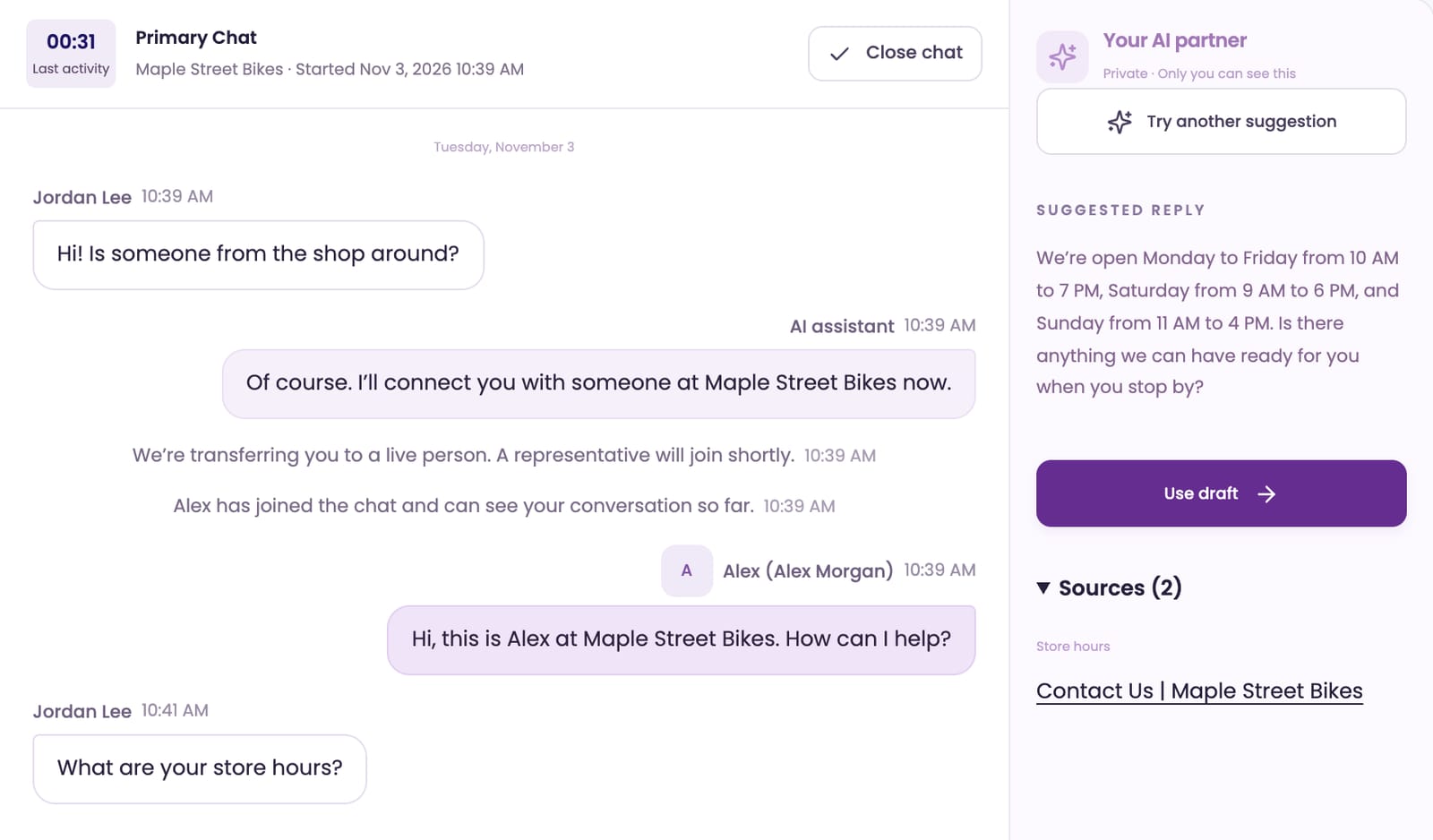
One click on Use draft puts it in Alex's reply box. Alex can send it as is, or add a personal touch first.
Questions that take some thought
Most customer questions are really several questions. Here's Dana, five weeks after buying a new hybrid bike, with gears that keep slipping:
Is this covered since it's new? And I ride it to work, so if I drop it off Saturday morning, can I have it back by Monday?
That's a warranty question, a scheduling question and a deadline in one message, and the answers live in three places: the shop's New Bike Care Plan (a PDF), the Service page on its website, and a note with the store hours. AI Partner brings them together in one clear reply and offers the shop's Book a service form as the next step.
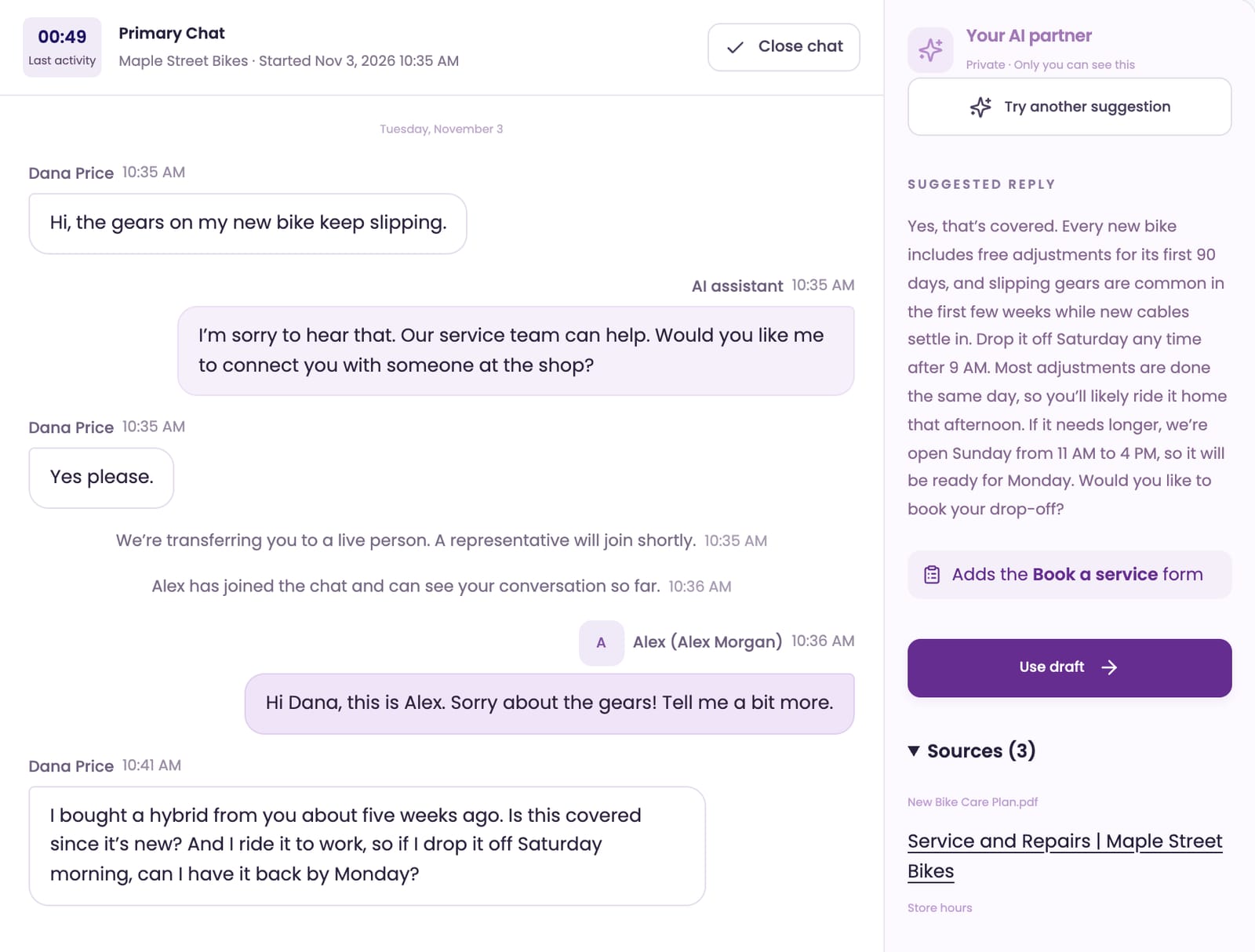
This is where AI Partner helps most. The question isn't hard. Getting every detail right while a customer waits is.
Emails to new leads, in your words
Not every customer is in a live chat. When a website visitor leaves their details, the lead goes to one person on your team in Live Inbox → Reply, to answer by email.
Rachel owns a bakery and wants three cargo bikes for deliveries. She asked about a discount for several bikes and about keeping them serviced. Alex picks Draft reply, adds one line of guidance ("Offer a test ride for her team this week") and clicks Get suggestion. AI Partner writes the email with the shop's business discount and service plan, and works in Alex's test ride.
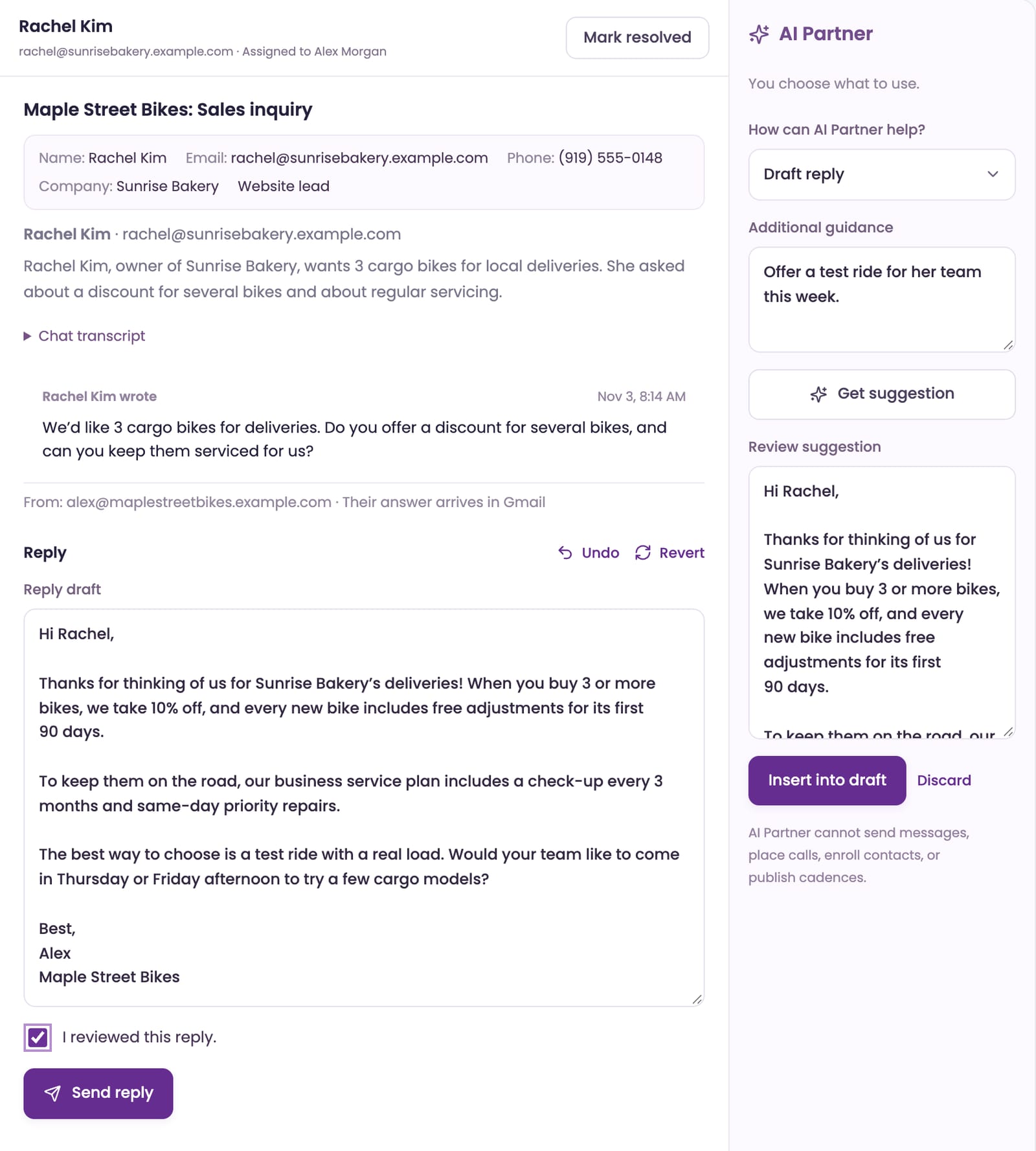
Alex reads it, checks I reviewed this reply. and sends it from Alex's own email. Drafting is only one of four ways AI Partner can help with an email:
- Draft reply writes a first reply from the customer's details and your information.
- Shorten or change tone reworks your draft to be shorter, warmer or more formal.
- Suggest follow-up writes a friendly follow-up, for when a customer goes quiet.
- Review draft reads what you wrote and gives you notes, without rewriting it.

After a call, the notes are already written
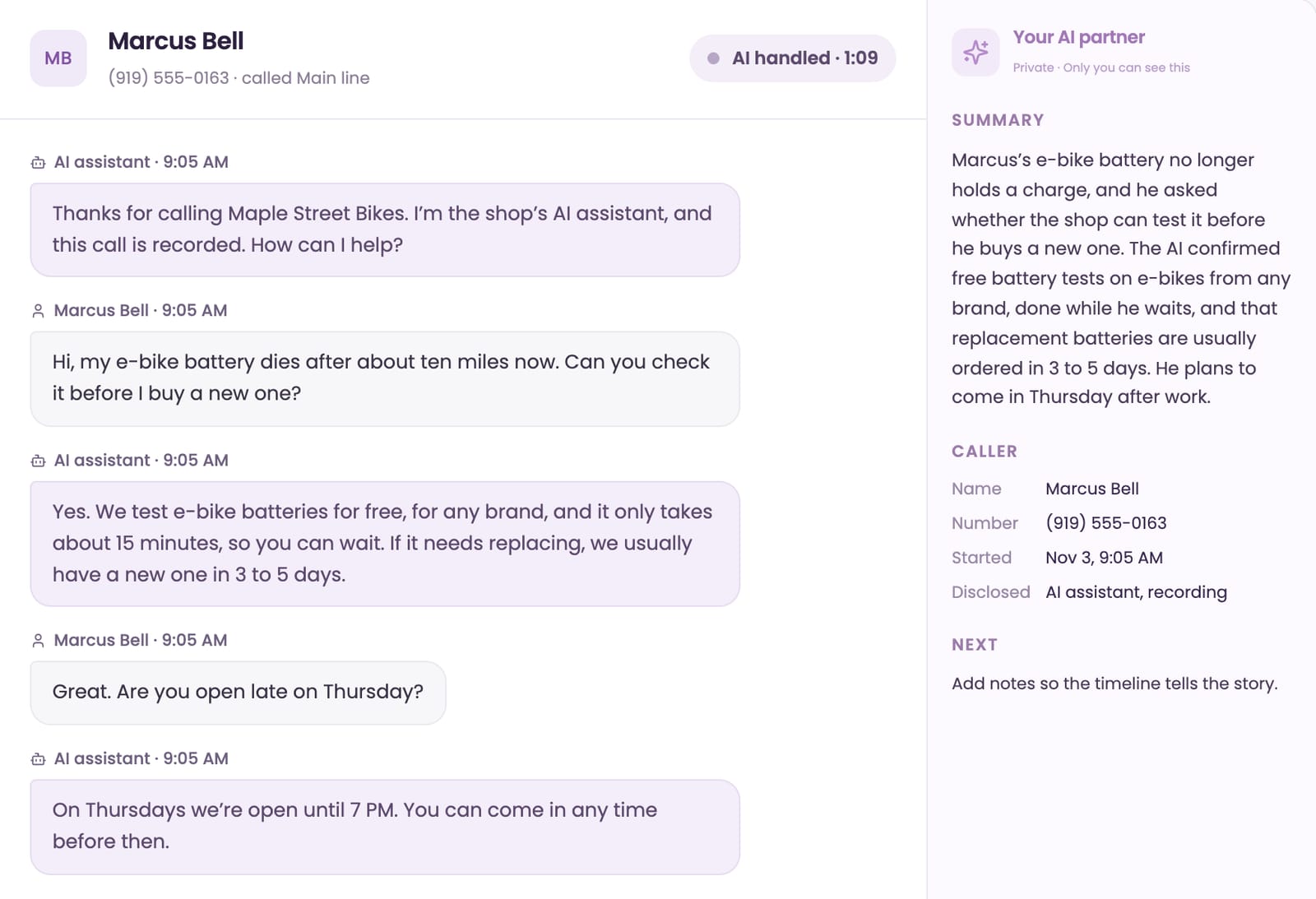
When the AI answers your phone, AI Partner keeps the notes. Open any call in Live Inbox → Voice and you'll see a short summary of what the caller wanted and what they were told, right next to the transcript.
Marcus called about an e-bike battery that won't hold a charge. Alex didn't take the call, but knows in seconds what happened: Marcus was offered a free battery test, and he's coming in Thursday after work.
You stay in charge
- Only you see it. AI Partner is private. Customers see only what you send.
- It never sends anything itself. Every draft waits for you to click Reply or Send reply.
- It answers from your information. It uses the same knowledge as your AI assistant: your website, documents, notes and approved answers.
- It helps you fill gaps. When your reply is very different from its draft, ChatFX flags the chat in Knowledge → Review, so you can add the right answer once.
- It's included. AI Partner comes with Starter and Pro, and its suggestions don't use flex credits.
Try it with your own business
AI Partner is at its best with your own information behind it. Start a 14-day free trial, add your website, and switch yourself to Available. The next time a customer asks for a person, your first draft will already be waiting. The Live Inbox guide walks through every step.
Frequently asked questions
Does AI Partner cost extra or use ChatFX credits?
No. AI Partner is included with the Starter and Pro plans, and its suggestions do not use flex credits. You can learn more about plans and billing if you’re deciding which plan to use.
How can I check whether an AI Partner draft is accurate?
Check Sources to see where the answer came from, then review and edit the draft before sending it. If your reply is very different from the draft, we flag the chat in Knowledge → Review so you can add the correct answer to your knowledge.
Can AI Partner help me write and edit customer emails?
Yes. AI Partner can draft a reply using the customer’s details and your business information, or suggest a follow-up when a customer goes quiet. It can also shorten a draft, change its tone, or review what you wrote without rewriting it.
Can I see what happened on a call the AI answered?
Yes. Open the call in Live Inbox → Voice to see a summary of what the caller wanted and what they were told, alongside the full transcript and caller details. If a caller wants a person, our phone answering service can ring your team or take a message.
How do I try AI Partner with my own business information?
Start a 14-day free trial, add your website and switch yourself to Available. To start the trial, create an account, confirm your email, pick a plan and add a card. The trial includes 50 credits, and you won’t be charged if you cancel before it ends.


